Inflection auto-generation
One of the most complicated parts of PolyGlot to configure is the auto-generation of inflections.
This requires that you set a transformation for a rule for each combination of inflections for each dimension of that inflection.
You can set up as many transformation in each rule and as many rules in each combination of inflections as you want.
It's recommended that you keep it simple and just have a single rule with a single transformation.
Where's this screen!?
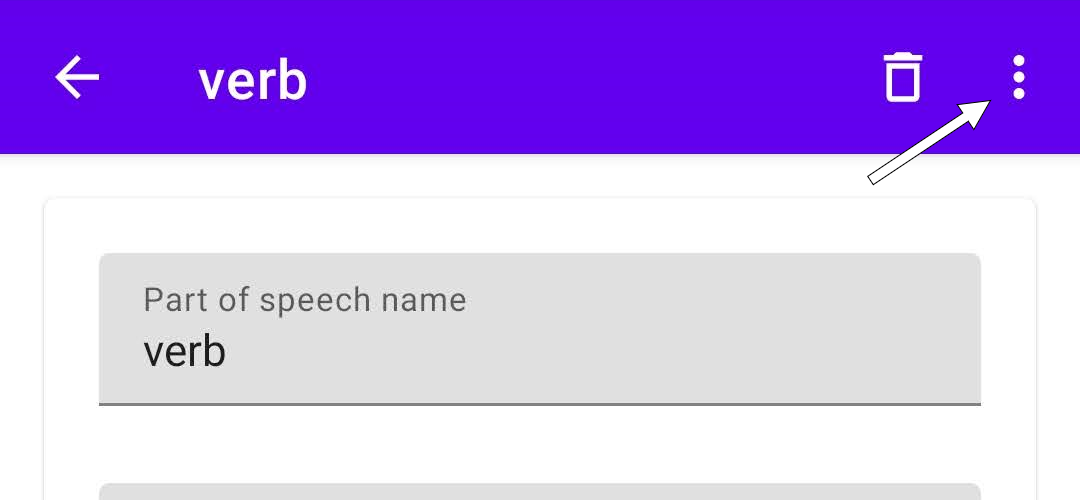
From a PoS info screen, click the 3 dots in the top right corner of the screen, you'll find the menu to access the auto-generation rules.
Testing the auto-generation
You can access the lexeme utility after setting up a lexeme with for this PoS.
Or you can quickly test any value in the "Text wordform" screen.
-
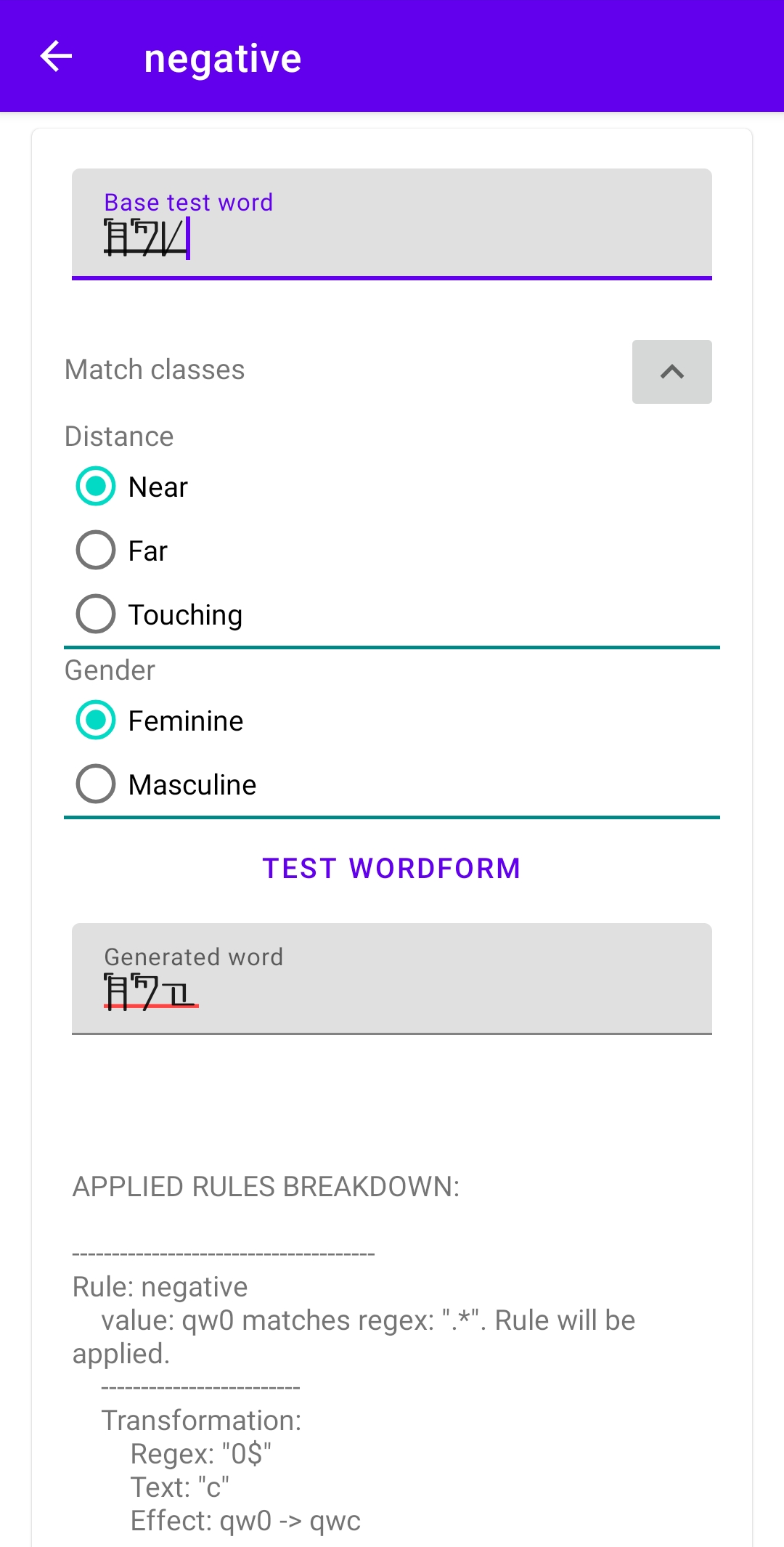
Base test word
Any value to test the selected wordform. -
Match classes
List of all Noun classes with default behavior that apply to this PoS.
The selected classes will be applied to the test word to filter the rules. -
Test wordform
When you click the button, PolyGlot runs the auto-generation as normal, checking if the rule's filters apply and then running the transformations.
PolyGlot will provide you with a breakdown of how the rules and transformations where applied. -
Generated word
The result of the auto-generation.
Setting up the auto-generation

The dropdown Wordform lists the combinations of each dimension of each inflection you have configured.
The checkbox Disable wordform makes this combination to be ignored.
You can start adding rules for this auto-generation.
Clicking the button "Add rule" will expand the rule information section.
The list of rules will show up below this button, to remove a rule you can click the trash can at the end of the row of that rule.
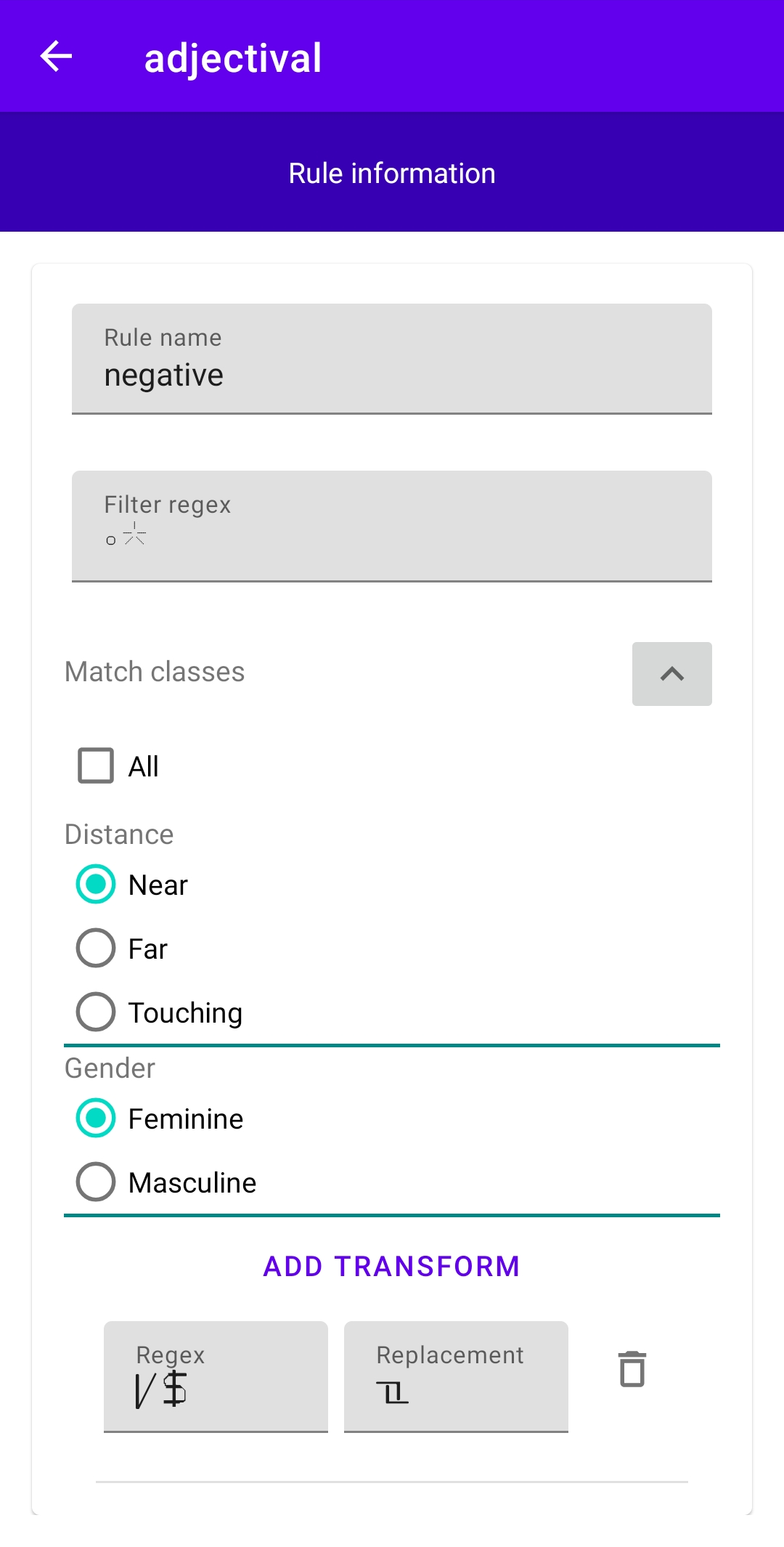
Rule information
-
Rule name
The name of the rule to display in the list. -
Filter regex
A regex used to filter which lexemes will use this rule.
If the word matches the regex, then each transform will be applied. -
Match classes
List of classes that this rule can apply to (only classes with default behavior are listed).
If the word does not match all the classes selected the rule will not be applied.
If a value is not selected for a given class, all values will apply.
If 'All' is selected the rule will apply to all words of this PoS regardless of the value of the classes. -
Transforms
List of transforms this rule makes to a lexeme.
Click "Add transform" to insert a row in the list.-
Regex
A regex that will search a part of the lexeme. -
Replacement
The part of the lexeme that matches the regex will be replaced with this. -
Trash can
Deletes the transform in that row.
-